Fotor vs. PosterMyWall: A Comprehensive Comparision
Last Updated:
Choosing between Fotor and PosterMyWall comes down to what you need to make. Both are online design tools, but Fotor is built mainly for photo editing and AI image tools, while PosterMyWall is built for marketing: designing flyers, posters, social media posts, emails and digital signage, then publishing them. This comparison covers features, pricing and overall value to help you pick the right fit.
The short answer: pick Fotor if your main job is retouching photos, removing backgrounds or generating AI images. Pick PosterMyWall if you are a small business, nonprofit, church or marketer who needs to create flyers, posters and social posts from templates and then publish, schedule and email them from one place.
Overview of PosterMyWall
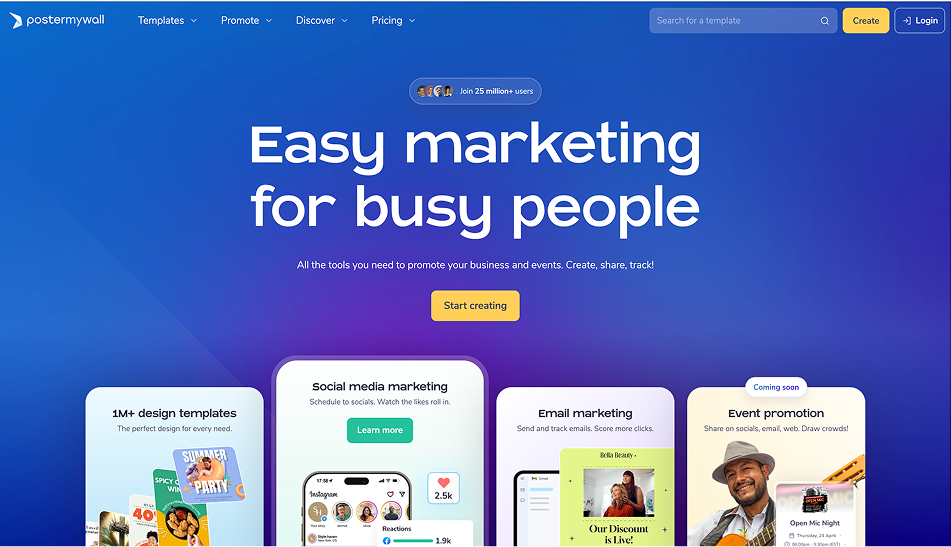
PosterMyWall is an all-in-one marketing design tool: you design a flyer, poster, social post or email from a template, then publish, schedule or send it without switching apps. Key offerings include:
-
Extensive Template Library: More than 4 million professionally designed, fully customizable templates for flyers, posters, social media posts, menus, schedules and more.
-
AI-Powered Tools: AI caption suggestions and AI size adjustment help you turn one design into posts ready for each social media platform.
-
Social Media Integration: Publish to all your social media platforms at once, straight from the editor, or schedule posts for later.
-
Email Marketing: A responsive email editor and a variety of email templates let you design and send email campaigns that match your social graphics.
-
Brand Management: Brand Kits and a content calendar keep your branding consistent and your posts organized. Premium members can start a Brand Kit from their logo, a design or their website, and their brand colors fill in automatically.
-
Collaboration Features: Work with teams and clients through shared designs, folders and digital assets, with granular access control.
-
Additional Functionalities: Background remover, one-click resize, content planner, and tools to create and manage digital signage. An Eraser also lets you brush away anything you don't want in an image.
Overview of Fotor
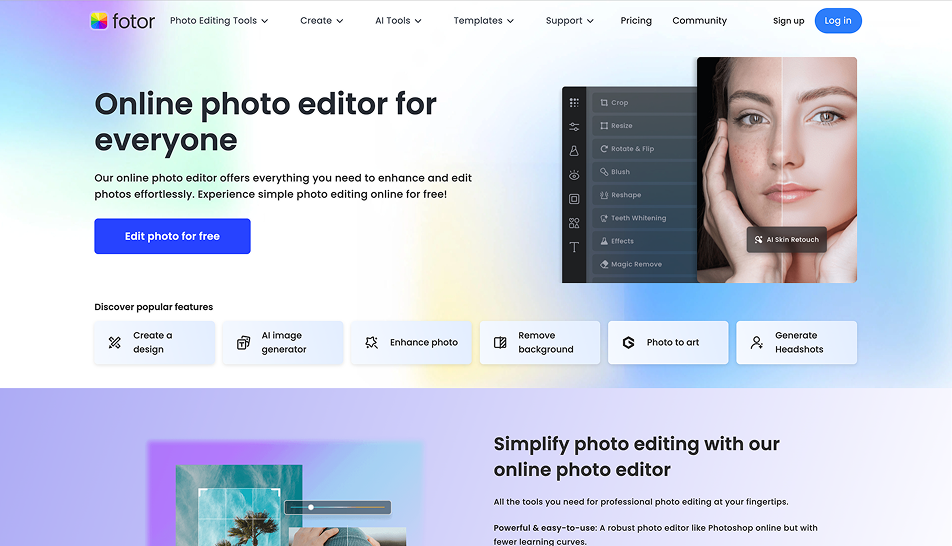
Fotor is used mainly for editing photos: it is an online photo editing and design platform known for a user-friendly interface and AI-powered photo tools. Notable features include:
-
Photo Editing Tools: A full suite of basic and advanced photo editing tools, including AI-powered enhancements.
-
AI Image Generator: Creates images from text prompts.
-
Background Remover: An AI tool for quick, precise background removal.
-
Design Templates: Templates for design needs such as social media posts, presentations and marketing materials.
-
Batch Processing: Tools like the batch photo editor let you edit multiple photos at once.
-
Platform Accessibility: Available on web, desktop (Windows and Mac) and mobile (iOS and Android).
Feature Comparison
Template Library
PosterMyWall has the larger template library, with more than 4 million templates covering flyers, posters, social posts, menus, schedules, price lists and other business needs across many industries. Fotor also provides a rich selection of templates, though it does not disclose how many. If you want to start from a ready-made design rather than a blank canvas, PosterMyWall offers more choice.
Flyers, Posters and Event Promotion
For making a professional flyer or poster online, PosterMyWall is the more complete choice: you pick one of its templates, customize it in the drag-and-drop editor, then resize it with one click and publish it to social media, add it to an email or show it on digital signage. Fotor can also be used to design flyers and posters from templates, but once the design is done you need other tools to share, schedule or email it. Small businesses, restaurants, churches, nonprofits and event organizers who promote events regularly get the whole workflow in one place with PosterMyWall. You can also turn your flyer into an event page and sell tickets with card payments, for events in the United States.
AI-Powered Tools
Both platforms use AI, but for different jobs. PosterMyWall's AI caption suggestions and AI size adjustment help you create and adapt marketing content for social media. PosterMyWall AI can also sharpen blurry photos and restore lost detail. Fotor's AI tools include an image generator, background remover and photo enhancer, aimed at improving photos. Choose PosterMyWall if your priority is content creation and publishing, or Fotor if your priority is photo editing (Fotor).
Social Media Integration
PosterMyWall lets you create a design and schedule it to social media in one place: publish to all your social media platforms at once, or plan posts ahead in the content planner. Content Planner is free on every account. To turn a flyer into a social media post, you resize it with one click for each platform and publish it from the same editor. Fotor does not offer direct social media publishing, so you would need another tool to post or schedule your designs.
Email Marketing
PosterMyWall includes a responsive email editor and a variety of email templates, so you can design, send and track email campaigns on the same platform where you make your flyers and social posts. Fotor does not provide native email marketing, which makes PosterMyWall the more integrated choice if you need both design and email marketing.
Collaboration and Brand Management
PosterMyWall's Brand Kits let you upload logos and fonts for consistent branding, and its collaboration features let teams work together with granular access controls. Fotor's Pro and Pro+ plans offer Brand Kits and more cloud storage, but its collaboration tools are less prominent. Teams that need strong collaboration and brand management may prefer PosterMyWall.
Digital Signage
PosterMyWall provides tools for creating and managing digital signage, including customizable 4K videos and direct uploads to platforms like Raydiant, Signagelive and Screencloud. Fotor does not offer specific digital signage features, so PosterMyWall is the better fit for businesses that run screens in stores, restaurants or venues.
Pricing Comparison
Is Fotor free? Fotor has a free Basic plan, but it comes with basic editing features and limited creative resources; advanced editing, AI tools and premium templates are part of its paid plans. Billed monthly, Fotor Pro costs US$8.99, Pro+ US$19.99 and Max US$29.99. PosterMyWall also lets you start designing for free and offers two premium plans:
-
Premium: Unlimited downloads of social media sizes, access to premium templates and stock assets, and priority customer support.
-
Premium Plus: Everything in Premium plus unlimited high-quality downloads, advanced collaboration tools and additional brand management features.
Fotor offers four plans:
-
Fotor Basic: Free, with basic editing features and limited creative resources. Free downloads are standard-quality JPG, PNG or PDF, with 512MB of cloud storage.
-
Fotor Pro: Advanced editing features, AI tools, premium templates and stock photos, and 2GB of cloud storage. It includes 100 credits per month and multiple Brand Kits.
-
Fotor Pro+: Everything in Pro plus 100GB of cloud storage, Brand Kits and 300 credits per month. Fotor Max adds 1,000 credits per month, 500GB of cloud storage and 50 concurrent AI generations.
Both platforms are competitively priced. The difference is what you pay for: PosterMyWall's plans add integrated marketing tools such as social publishing, email and signage, while Fotor's plans focus on advanced photo editing, AI credits and storage. Billed yearly, Fotor Pro costs US$39.99 (US$3.33/month), Pro+ US$62.99 (US$5.24/month) and Max US$251.92 (US$20.99/month), with Pro+ and Max currently shown at 30% off.
User Reviews and Satisfaction
User feedback highlights the strengths of each platform:
-
PosterMyWall: Users praise its ease of use, extensive template selection, and seamless integration with social media and email marketing. Small business owners, marketers and nonprofits especially value its all-in-one marketing capabilities. Many also highlight Teams for seamless collaboration, which suits businesses working with multiple stakeholders.
-
Fotor: Fotor is reviewed positively for its AI-powered editing tools, especially the background remover and photo enhancer. Some users note limits in template variety and customization compared to PosterMyWall.
PosterMyWall vs. Fotor: Feature Comparison Table
Feature Category | PosterMyWall | Fotor |
Template Library | 4M+ fully customizable templates | Thousands of templates (focused more on photo editing and collages) |
AI Tools | AI Caption Writer, AI Background Remover, AI Resize Tool | AI Photo Enhancer, AI Image Generator, AI Background Remover |
One-click Resize | Yes, resize designs instantly for all platforms | Limited resizing; more focused on photo dimensions |
Social Media Publishing | Auto-publish and schedule posts across multiple platforms | Multiple Brand Kits on all paid plans |
Content Calendar | Built-in calendar to plan and manage social content | Not available |
Email Marketing | Responsive email editor with campaign tracking | Not offered |
Collaboration Tools | Team collaboration, shared folders, access control | No native team or collaboration support |
Brand Kits | Store brand assets like logos, fonts, and colors | Not available |
Stock Media | Millions of stock images, videos, and audio clips | Stock photos available; limited selection |
Digital Signage | Create and upload 4K digital signage content | Not supported |
Menu, Schedule & Business Templates | Pre-made templates for menus, schedules, price lists, and more | Not available |
Downloads | Unlimited downloads with premium plans | Limited downloads; some assets require individual payment |
Ease of Use | Drag-and-drop editor for non-designers | Simple UI with focus on photo editing |
Customer Support | Priority support available with premium | Standard support |
Best For | Small businesses, marketers, teams, nonprofits, educators | Individual users looking for photo editing and AI tools |
Fotor or PosterMyWall: Which Should You Choose?
-
Choose Fotor if you mostly edit photos: retouching, enhancing, removing backgrounds, batch-editing images or generating AI images.
-
Choose PosterMyWall if you need to make professional flyers, posters and social media posts from templates and then publish, schedule or email them, without juggling several apps.
-
For churches, nonprofits and small businesses, PosterMyWall covers event flyers, menus, schedules, social posts, email and digital signage in one tool, which saves time for small teams without a designer.
Why PosterMyWall is the Best Fotor Alternative for Marketing
If you are looking for a Fotor alternative for marketing, PosterMyWall is the stronger choice because it covers design, publishing and email in one platform. Here's why:
1. All-in-One Marketing Solution
Fotor focuses on photo editing and AI image tools, while PosterMyWall is built for end-to-end marketing. From email marketing to social media publishing, it removes the need for separate tools. You can even ask PosterMyWall AI to write a caption, post your design to social media or email it to your list.
2. Extensive Template Library and Customization
PosterMyWall's design templates outnumber Fotor's, with more than 4 million fully customizable flyers, posters, social posts and business templates.
3. Powerful Social Media Publishing
With auto-publish and scheduling, you can design a post and schedule it for multiple platforms at once, something Fotor does not offer.
4. Better Brand Management
PosterMyWall's Brand Kits let businesses upload and manage logos, fonts and brand colors so every design stays consistent. Fotor offers this in its paid plans but without integrated content scheduling and publishing.
5. Collaboration and Team Features
For businesses and agencies, Teams on PosterMyWall let multiple people work together, with folder sharing and granular access control. Your team can also edit the same design at the same time and see each other's changes as they happen.
6. Affordable and Flexible Pricing
PosterMyWall's Premium Plans offer unlimited downloads at competitive prices, plus tools for marketing, email and signage. Even on the free plan, standard downloads of images, GIFs and videos carry no PosterMyWall watermark. Fotor's Pro+ plan focuses on storage and AI tools, which makes it less versatile for business marketing. Unused Fotor credits roll over for up to 5 months while you stay subscribed.
Conclusion: The Best Fotor Alternative for Businesses and Marketers
Fotor is a good choice for photo editing and AI images. If you need a design tool that does more than just edit photos, PosterMyWall is the best alternative to Fotor. Its social media automation, email marketing, branding tools, and vast template library make it the right fit for businesses, marketers, and content creators who want to create flyers, posters and posts and get them in front of customers from one place.
Ready to take your marketing to the next level? Explore PosterMyWall today!